
How QA Teams Use Windows Screenshot for better UAT Feedback and Release Sign-Off
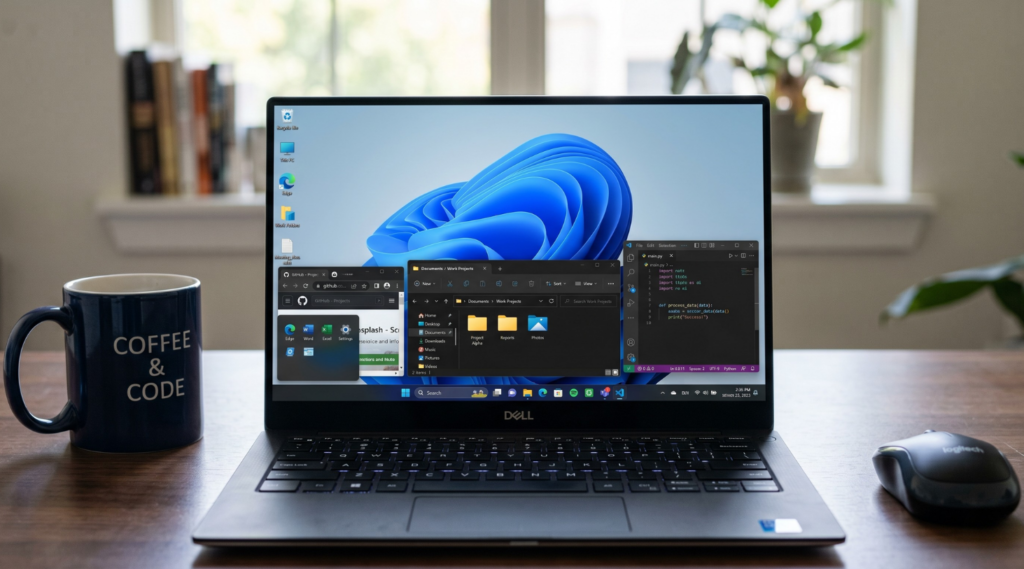
Why QA Teams Use Windows Screenshot During UAT Feedback
User acceptance testing is not only about finding defects. It is also the stage where teams confirm that a feature works as expected, matches business requirements, and is ready to move toward release. In that process, a Windows screenshot becomes more than a simple visual note. It helps QA show exactly what was tested, what result appeared on screen, and what reviewers are being asked to approve.
Screenshots help teams review the same build state
During UAT, feedback often moves across several people at once. QA may validate the flow, a product manager may check whether the requirement was met, a designer may look at layout details, and a stakeholder may only need final confirmation before sign-off. A written comment alone does not always create the same picture for everyone. A Windows screenshot gives all of them a shared visual reference tied to one specific moment in the build.
That matters because UAT feedback is often less about technical debugging and more about decision-making. The question is not always “What broke?” In many cases, it is “Does this screen now match what we agreed to release?” A clear screenshot helps answer that faster.
UAT feedback needs evidence, not only description
In real review cycles, small differences can slow everything down. A field may appear in the correct place but use the wrong label. A confirmation message may be technically present but still feel unclear to the product team. A screen may pass functional testing, yet still need stakeholder approval before release. In these cases, a Windows screenshot adds context that text alone usually misses.
For QA teams, this is especially useful when feedback needs to stay structured. Instead of writing long explanations about what was visible after a test step, they can attach a screenshot that shows the state directly. That makes UAT feedback easier to review, easier to compare across rounds, and easier to use during final approval.
Release sign-off depends on clarity
Release sign-off usually involves more than one last checkmark. Teams need confidence that important flows were reviewed, that visible changes were validated, and that the final state of the product matches expectations. A Windows screenshot supports that process by turning review comments into visible evidence.
This is one reason screenshots remain valuable even when teams already use tickets, comments, and test cases. Those tools describe the work. Screenshots show the result. During UAT and release sign-off, that difference matters because decisions are often made faster when reviewers can see the tested outcome immediately instead of reconstructing it from text.
Why this matters for QA workflows on Windows
Many QA teams work in browser-based apps, admin panels, dashboards, internal tools, and staging environments where most review happens directly on screen. In those workflows, using a Windows screenshot is one of the simplest ways to capture acceptance evidence without interrupting the review process. It helps QA keep feedback visual, keeps approvals grounded in what was actually shown in the interface, and reduces back-and-forth before release.
So while screenshots are often associated with bug reporting, their role in UAT is broader than that. QA teams use them to support review, confirm acceptance criteria, and make release sign-off more reliable.

What QA Teams Should Capture in a Windows Desktop Screenshot to Support Acceptance Criteria
In UAT, a Windows desktop screenshot should show the exact result that needs approval. The goal is not to prove that QA opened a page or clicked through a flow. The goal is to make the acceptance result visible enough that another reviewer can quickly confirm whether the requirement was met.
Capture the final state that proves the requirement
The screenshot should show the end result of the tested action, not an earlier step. If the acceptance criterion says that a user can submit a request successfully, the image should capture the confirmation state after submission. If the feature is supposed to change a status, unlock an action, or display updated content, that final visible state should be on screen.
For example, if QA is validating a checkout flow, the screenshot should show the order confirmation page with the final status or confirmation message, not the filled-in checkout form before submission. If the team is reviewing an approval workflow, the image should show that the item now appears as “Approved” in the relevant part of the interface, not just that the approval button was clicked.This is what makes a Windows screenshot useful in UAT. It shows that the product reached the expected business outcome.
Keep enough context to make the Windows screenshot understandable on its own
A screenshot can show the right result and still be weak if it lacks context. Reviewers often need to see where the result appears and what feature or record they are looking at. That is why a good screen capture Windows workflow should preserve enough surrounding UI to make the image self-explanatory.
For example, if QA is checking that a discount is applied correctly, the screenshot should not show only the final price. It should also show enough of the cart or checkout area to make it clear what order is being reviewed. If the team is validating a role-based permission change, the screenshot should show the restricted button or menu item in the context of the user account or settings screen, so the reviewer can see that the right role is being tested.
The point is not to capture the entire desktop every time. It is to include enough visible context so that the screenshot still makes sense later, during review or sign-off, without extra explanation.
Show acceptance evidence, not just screen activity
A weak UAT screenshot often proves only that a page exists. A strong one shows why the page matters for approval. QA should capture the part of the interface that directly supports the acceptance criterion.
For example, if the requirement says that a user should see a success banner after saving profile changes, the screenshot should show the updated profile state together with the success message. If the requirement says that a manager can export a report, the screenshot should show the report screen after export becomes available or after the export action completes. If the requirement says that a dashboard widget was redesigned, the image should show the updated widget in its real placement on the dashboard, not a tightly cropped fragment with no surrounding layout.
That is the key difference in UAT. The screenshot is not centered on what is broken. It is centered on what is now correct, visible, and ready to approve.
Leave light build or environment context when it matters
Sometimes a screenshot needs a little extra context to stay useful across review rounds. If the same feature is tested in staging, under a feature flag, or across multiple builds, it helps to leave part of the page header, browser frame, or visible environment label on screen.
For example, if QA is reviewing the same settings page in two release candidates, a slightly wider Windows desktop screenshot can make it easier to compare the approved version against an earlier one. This is especially helpful when teams review evidence later on screen capture Windows 10 andWindows 11setups and want to avoid confusion about which round the image belongs to.
A simple test works well here: if someone who did not run the test can look at the screenshot and immediately understand what was approved, the capture is doing its job.
How Snipping Tool Windows Fits Into UAT Review Workflows and Where Tools Like PixelTaken Add More Flexibility
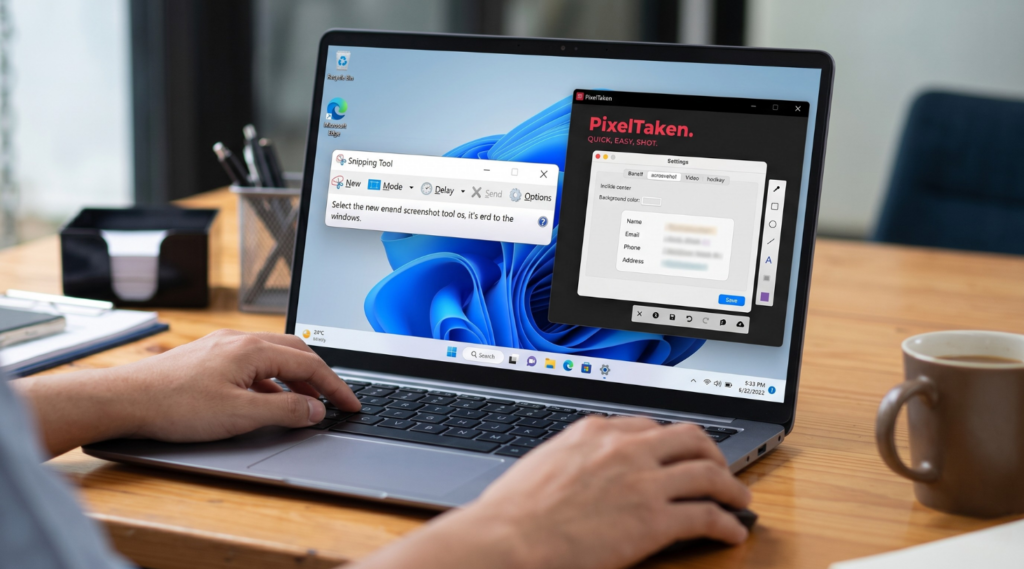
For many QA teams, Snipping Tool Windows is a practical choice for UAT review. It is built into the system, easy to open, and fast enough for everyday capture tasks. When a tester needs to save a confirmation state, a changed label, or a visible UI fix, the built-in option can handle that well.
That makes it useful for lightweight review cycles. A QA specialist can open Snipping Tool Windows 11 or Windows 10, capture the relevant part of the interface, and attach it to a comment, test note, or review thread without adding extra steps.
Where built-in capture works well in UAT
Built-in Windows capture tools work best when the review task is simple and one screenshot is enough to support the decision. For example, if QA needs to confirm that a form now saves successfully or that a button label was updated correctly, a quick image is often all that is required.
In cases like these, the built-in workflow feels natural. It is fast, familiar, and easy to use during routine validation.
Where more visual explanation helps
As UAT cycles become more structured, screenshots often need to do more than just show the screen. Teams may need to point to a specific field, highlight a changed section, circle a UI detail, or add a short note for product managers, designers, or stakeholders reviewing the build later.
That is where tools like PixelTaken can be useful when QA teams want a more flexible Windows screenshot workflow. The advantage here is not about replacing built-in tools. It is about having markup features such as arrows, outlines, and text labels available right away when QA wants the review point to be clear inside the image itself.
For example, if QA is validating an updated checkout screen, a plain screenshot may already be enough to show the final state. But in another review round, the team may want to mark the exact status area that changed or highlight the field that now matches the requirement. In that case, a more annotated screenshot can make the feedback easier to understand without adding a long explanation below it.
The difference is usually in the workflow
In UAT, the real question is rarely which tool is better in absolute terms. The more useful question is which workflow fits the review task. A built-in option works well for fast and simple captures. A tool like PixelTaken can help more when QA teams want to capture and annotate in one flow, especially across repeated review rounds.
That becomes more useful when the same feature is reviewed several times or when screenshot evidence is shared with multiple reviewers. A clear image with a short visual marker can often communicate the review point faster than a plain screenshot followed by extra back-and-forth.
How QA Teams Organize Screen Capture Windows Evidence for Release Sign-Off
Release sign-off rarely depends on one screenshot. In most UAT cycles, QA needs to show a small set of review evidence that supports the decision to move forward. That is why a strong screen capture Windows workflow is not only about taking images. It is also about organizing them in a way that makes approval easier for product managers, stakeholders, and anyone reviewing the final build.
The goal is not to collect as many screenshots as possible. The goal is to keep only the images that clearly support acceptance and arrange them in a way that matches how the release is being reviewed.
Organize evidence by review logic, not by random capture order
A screenshot becomes more useful when it is grouped by the decision it supports. In practice, QA teams usually get better results when they organize screenshots around acceptance criteria, feature areas, or review rounds instead of leaving them as disconnected image files.
For example, if a release includes checkout updates, permission changes, and a revised dashboard widget, it is more helpful to keep those screenshots as three separate evidence groups than to drop them into one mixed batch. That way, a reviewer can check each part of the release against its expected result instead of trying to reconstruct the logic from scattered images.
This also makes sign-off cleaner across repeated review cycles. If one feature was reviewed in an earlier round and another was approved only after a later fix, the screenshot evidence should reflect that structure. QA does not need a large visual archive. It needs a review set that shows what was validated, what changed, and what is now ready to approve.
Build small screenshot sets that match approval needs
In many cases, a single screenshot is not enough, but a large dump of images is not helpful either. A better approach is to create a short evidence set for each feature or acceptance area. That set may include the final visible state, one supporting screen if context matters, and an updated version from a later round if the item was rechecked before sign-off.
Here is a practical way to think about it:
| Review area | What the screenshot set should show | Why it helps sign-off |
| Form submission flow | Final confirmation state and visible completed result | Confirms the flow reached the expected end state |
| Status or approval change | Updated status in the correct part of the interface | Shows that the requested change is now visible |
| Role-based access | The screen as seen by the tested user role | Supports approval of permission logic |
| UI update requested in review | The revised layout, label, or component in context | Helps stakeholders confirm the visible change |
| Rechecked item after revision | The latest approved state after feedback was addressed | Shows that the issue was reviewed again before release |
This structure keeps the evidence focused. Instead of asking reviewers to sort through everything QA captured, it gives them a smaller set of images tied directly to approval decisions.
Make the final review pack easy to scan
The best release evidence is usually easy to scan in a few minutes. Reviewers should be able to move through the screenshot set and quickly understand what each group is meant to confirm. That is especially important when sign-off includes several people with different priorities. QA may be checking validation results, product may be checking requirement alignment, and stakeholders may only want to confirm the final visible outcome.
A clear screen capture Windows process helps by turning screenshots into structured review material instead of loose attachments. When the evidence is grouped by feature or acceptance area, reviewers spend less time asking where a screenshot belongs and more time making the actual sign-off decision.
This becomes even more helpful when the same release is reviewed across more than one round. Instead of replacing older screenshots without explanation, QA can keep the final approved state visible as the main evidence and use only a small number of earlier captures when they are needed to show what changed before approval.
A good rule is simple: if a reviewer can open the evidence set and understand what is ready for sign-off without additional guidance, the screenshots are organized well enough.
When QA Teams Need Video Screen Capture Windows Instead of Static Screenshots in Final Review
StaticWindows screenshotswork well when QA needs to confirm a final visible state. They are useful for updated labels, completed form submissions, visible status changes, and other results that can be understood from one frame. But some review decisions depend on motion, timing, or sequence.In those cases, a short video screen capture on Windows is more useful than a still image because the reviewer needs to see how the interface behaves over time, not only how it looks at the end.
A common example is a multi-step checkout flow. A static screenshot can show that the final confirmation screen appears correctly, which is often enough for a simple approval. But if the real question is whether the loading state lasts too long, whether the success message appears at the right moment, or whether the transition between steps feels smooth, one image is not enough. A short recording shows the full interaction and makes the review point much clearer.
The same applies in role-based UAT. A Windows screenshot may confirm that a manager can now see the correct approval button. But if QA needs to show that the button stays disabled at first, becomes active only after a required field is completed, and then triggers the correct state change, a video gives stronger review evidence. In that kind of case, the decision depends on behavior, not only on the final screen.
This is where a broader screen capture Windows workflow becomes more useful in final review. Teams usually do not choose screenshots or video in absolute terms. They use screenshots for stable end states and switch to recording when they need to show timing, animation, hover behavior, drag-and-drop actions, or short UI transitions that affect release confidence.
Tools like PixelTaken can fit naturally into that process when QA teams want both screenshots and short recordings inside one workflow. That can be especially helpful in repeated review rounds, where one item is best shown with a still image while another needs a quick video clip to explain the interaction clearly.
In the final review, the choice is simple. If one frame is enough to support approval, use a screenshot. If the team needs to show how the interface behaves from step to step, a short screen recording is usually the better option.