How to Take a Screenshot on Windows for Interview Notes and Candidate Documentation
Hiring rarely happens in one clean, linear flow. Recruiters and HR teams move between resumes, email threads, interview scheduling tools, ATS records, portfolio links, assessment results, and internal feedback forms. In that kind of workflow, a screenshot on Windows can become a simple but highly practical way to preserve context at the exact moment it appears on screen.
Screenshots Help Preserve Important Hiring Context
During the hiring process, details can change quickly. A candidate may update a portfolio, a recruiter may need to capture a scheduling issue, or a hiring manager may want a visual record of assessment results before the status in the system changes. In these situations, knowing how to take a screenshot on Windows is useful not because it is technical, but because it helps teams keep accurate visual evidence tied to real hiring activity.
For HR teams, screenshots can support several everyday tasks:
- saving interview notes shown in an internal tool;
- documenting candidate communication or scheduling confirmations;
- capturing assessment outcomes or technical issues;
- preserving portfolio samples, profile details, or application data for review;
- sharing context with hiring managers without rewriting everything manually.
This is especially useful when teams need to discuss a candidate internally. A well-timed screenshot can show exactly what the recruiter saw, which reduces confusion and helps everyone review the same information.
A Screenshot Can Make Candidate Documentation Faster
Candidate documentation often becomes messy when information is spread across multiple systems. Instead of switching between tabs and rewriting details into separate messages, recruiters can use screenshots to capture the relevant part of the screen and attach it to internal notes or hiring records. That saves time and lowers the chance of missing small but important details.
Windows already includes built-in screenshot options such as Windows + Shift + S for the Snipping Tool overlay, and Windows + PrtScn on supported devices to save a full-screen capture directly to the Pictures > Screenshots folder. Those native options make it easy for HR professionals to capture what they need during fast-moving hiring workflows.
Why This Matters for Modern HR Workflows
Recruitment today is collaborative, remote, and tool-heavy. That means candidate documentation is no longer just about written notes. Teams often need visual references that show timelines, feedback, technical test results, profile details, or conversation context. A screenshot on Windows helps bridge that gap between raw information and clear internal communication.
Used properly, screenshots can improve:
- documentation consistency;
- handoff between recruiters and hiring managers;
- internal review speed;
- clarity in candidate discussions;
- record-keeping for high-volume hiring.
The key is not to capture everything, but to capture the right moment. When HR teams use screenshots with intention, they create cleaner documentation and make the hiring process easier to review later.
How to Take a Screenshot on Windows for Clear Interview Notes
Interview notes are easier to review when each screenshot is intentional. Instead of saving random full-screen images, HR teams should capture only the part of the screen that supports one specific point: a candidate’s answer, a scheduling detail, an assessment result, or a portfolio example. This keeps documentation clearer and makes internal review faster.
Start With the Smallest Useful Capture
The clearest interview screenshots are usually the most focused ones. In most hiring workflows, there is no need to save the entire desktop or a crowded browser window if only one section matters. A smaller capture is easier to read later and keeps the note visually connected to the exact detail under discussion.
For example, HR teams can capture:
- a calendar confirmation for the next interview round;
- one section of a candidate profile;
- a visible assessment score;
- a portfolio sample discussed during the call;
- a message or status update relevant to the candidate record.
This approach helps interview notes stay structured and makes candidate documentation screenshots easier to review later.
Use the Fastest Windows Screenshot Method for the Task
On Windows, Windows + Shift + S is often the most practical option for interview documentation because it lets you select only the relevant area. This is usually better than taking a full-screen screenshot first and sorting it out later.
A full-screen capture can still make sense when the entire interface matters, such as when documenting a technical issue during a remote interview or preserving the full context of a system view. But for everyday HR notes, selected-area screenshots are often the cleaner choice.
| Screenshot method | Best use in hiring workflows | Result |
| Selected area | Candidate details, score blocks, schedule snippets | Clean and focused note support |
| Window capture | ATS page, profile view, interview tool window | Preserves context without full desktop clutter |
| Full screen | Technical issues, full-screen interview context | Captures everything visible at once |
Match One Screenshot to One Note
A useful rule for HR documentation is simple: one screenshot should support one clear idea. If a note is about candidate availability, the screenshot should show the scheduling detail. If the note is about an assessment, the screenshot should show the relevant score or result. Mixing several unrelated details into one capture makes the documentation harder to scan later.
A practical note-and-screenshot format may look like this:
- candidate confirmed availability for Tuesday;
- assessment result recorded before status change;
- portfolio example reviewed during interview;
- screen-sharing issue interrupted technical discussion.
When screenshots are paired with short, specific notes, hiring managers do not have to guess what they are looking at.
Keep the Image Clean Enough for Internal Review
A screenshot for interview notes should be easy to understand at a glance. That usually means:
- capturing only the necessary area;
- avoiding unnecessary open tabs or desktop elements;
- making sure the key text or result is visible;
- keeping the image connected to the note it supports.
This is where a dedicated tool can fit into a more regular workflow. If a team captures screenshots often, PixelTaken can be part of that process alongside built-in Windows screenshot methods. In HR work, consistency matters because the same documentation may later be reviewed by recruiters, coordinators, and hiring managers.
Build a Repeatable Screenshot Habit
The goal is not to save more screenshots. It is to make each screenshot easier to understand and easier to use inside the hiring process. A repeatable approach works best:
- identify the one detail worth saving;
- capture only that part of the screen;
- attach it to a short interview note;
- store it where the hiring team can review it later.
When teams follow the same process each time, interview notes stay clearer, faster to scan, and more useful during candidate evaluation.
Best Ways to Use Windows Screenshots for Candidate Documentation
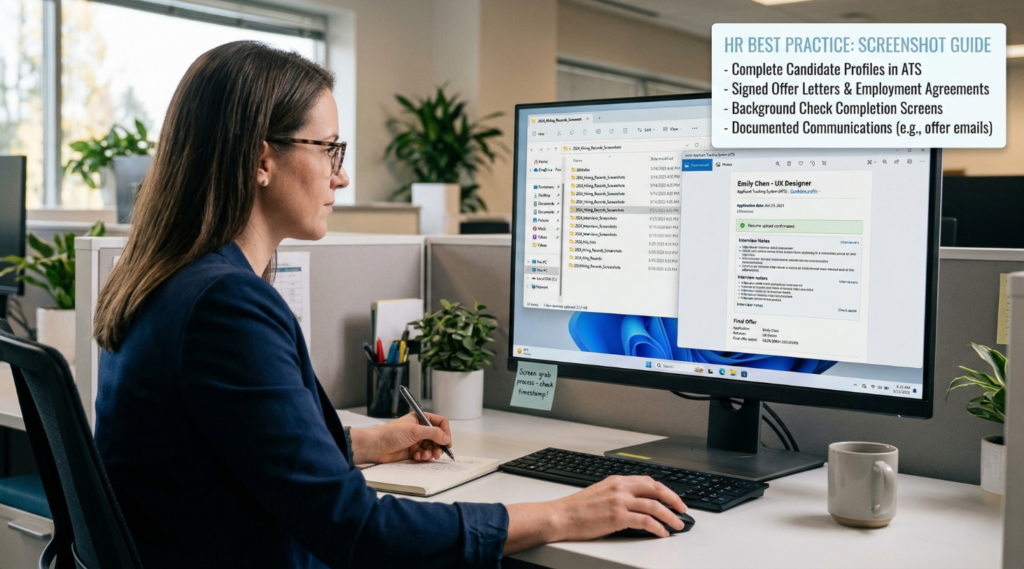
A screenshot should not become a substitute for structured candidate documentation. In a strong hiring record, aWindows screenshotworks best as supporting context attached to a clear note, decision point, or process update. The most effective teams do not save screenshots randomly. They use them in specific situations where visual evidence adds something that plain text would not capture as clearly.
Use Screenshots as Supporting Evidence, Not the Main Record
The best way to use screenshots on Windows in candidate documentation is to treat them as supporting material. The main record should still be the written note, ATS update, or evaluation comment. The screenshot adds value when it confirms what was visible at that moment, such as an assessment result, an availability update, or a portfolio element discussed during review.
This keeps candidate documentation readable. Instead of turning the record into a gallery of images, the team uses screenshots only where they strengthen the written trail.
Use Screenshots to Reduce Ambiguity During Review
One of the best uses of a screenshot on Windows is to reduce ambiguity later. A short written note may say that a candidate completed a task or confirmed a time slot, but a screenshot can show the visible evidence behind that statement. This is especially helpful when the record is reviewed later by someone who was not involved in the original interaction.
In that sense, screenshots are most valuable when they answer a likely follow-up question, such as:
- What exactly was visible at that time?
- Which candidate detail was being reviewed?
- What result or status appeared on screen?
- What issue interrupted the process?
That makes the screenshot useful not just at capture time, but during later documentation review.
Keep Screenshot Use Narrow and Purpose-Driven
The most effective screenshot habits are selective. A Windows screenshot for candidate documentation should have one reason to exist. If the image does not clarify something, confirm something, or preserve something likely to change, it usually does not need to be in the record.
This helps teams avoid common problems such as:
- too many screenshots with no explanation;
- screenshots that repeat what the note already says;
- image-heavy records that are hard to scan;
- visual clutter that hides the important detail.
Purpose-driven use is what keeps screenshots helpful instead of distracting.
Build a Consistent Rule for When to Use a Screenshot
HR teams often get better results when they follow a simple internal rule: use a screenshot only when visual context improves the candidate record. That creates a cleaner documentation standard and prevents overuse.
A practical rule may look like this:
| Use a screenshot when… | Skip the screenshot when… |
| a visible result needs proof | the note already explains everything clearly |
| a status or detail may change later | the image would add no new context |
| an issue or exception needs documentation | the screenshot would be too broad or cluttered |
| another reviewer may need visual confirmation | the same information is already recorded in structured form |
This kind of structure makes candidate documentation more disciplined and keeps Windows screenshots aligned with the actual purpose of the record.
PixelTaken Can Be Part of That Documentation Routine
For teams that work with screenshots regularly, PixelTaken can sit alongside standard Windows screenshot methods as part of a more consistent documentation routine. In this context, the value is not simply taking more screenshots. It is using screenshots more intentionally inside candidate records, with each image tied to a specific documentation purpose.
When screenshots are used this way, they strengthen the record instead of overwhelming it.
What HR Teams Should Capture in Screenshots on Windows for Hiring Records
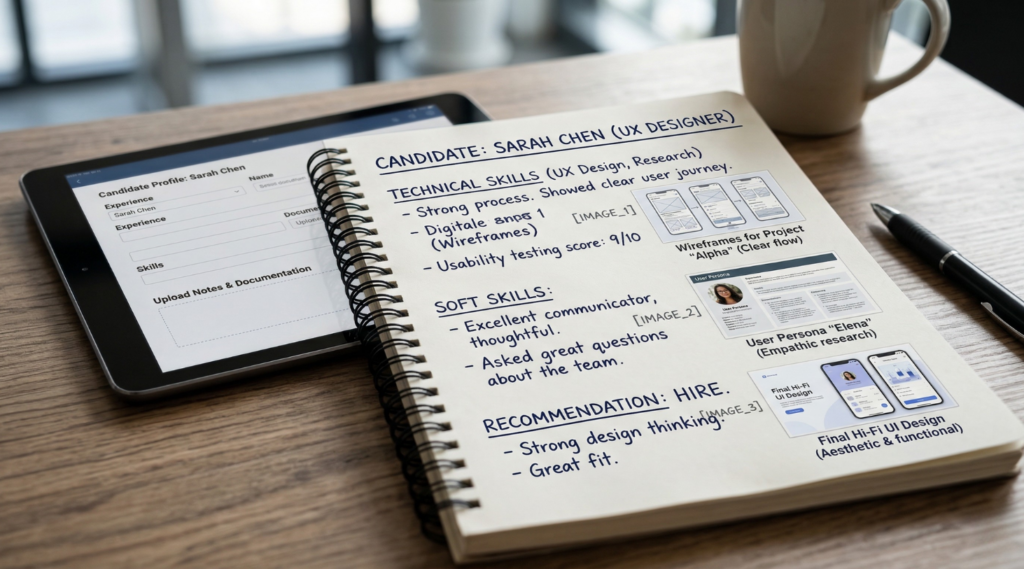
When HR teams take screenshots on Windows for hiring records, the most useful images usually contain one clearly identifiable hiring-related detail. The goal is not to capture more of the screen, but to make sure the screenshot includes the exact on-screen element that will still matter during later review. In practice, that means focusing less on general page context and more on the specific field, status, message, or result that belongs in the record.
Capture the Exact Detail, Not the Whole Workflow
A hiring screenshot becomes more useful when the reviewer can immediately see what part of the screen matters. In many cases, the right capture target is not the full ATS page or the whole browser window, but one visible element inside it.
For hiring records, that often means capturing:
- the candidate name together with the relevant status;
- the interview date and time as displayed in the scheduling interface;
- the assessment score or completion result;
- the title or visible section of a submitted task or portfolio item;
- the exact system notification, warning, or error message;
- the stage label shown in the hiring pipeline.
This creates a more precise Windows screenshot that supports the hiring record without making the reviewer search for the relevant detail.
Prioritise Fields, Statuses, and Results Over General Layout
For hiring records, the most useful screenshots usually centre on data points rather than the full interface. Reviewers rarely need to see the complete platform layout if the documentation purpose is tied to one visible outcome.
The strongest screenshot targets are often:
- status fields;
- completion markers;
- score blocks;
- scheduling details;
- candidate-specific labels;
- visible comments or updates tied to the process.
That makes screenshots on Windows more practical for hiring records because the image preserves the most decision-relevant part of the screen.
Common On-Screen Elements Worth Capturing
| On-screen element | Why it matters in hiring records | Best capture focus |
| Candidate status label | Shows current stage or update point | Status area with candidate identifier |
| Interview schedule block | Preserves confirmed timing | Date/time section |
| Assessment score or completion marker | Supports evaluation tracking | Score/result area |
| Portfolio or task title | Links feedback to a reviewed item | Relevant submission section |
| System warning or error message | Documents process disruption | Message box or affected area |
| ATS pipeline stage | Shows visible placement in workflow | Stage label with candidate context |
This gives HR teams a clearer standard for what belongs in a screenshot and what can stay outside the frame.
Capture What the Reviewer Will Need to Verify Later
A useful hiring screenshot should help answer one verification question during later review. That may be:
- Was the interview time confirmed?
- Was the task completed?
- What stage was the candidate in?
- What exact result was visible?
- What issue appeared on screen?
That is why Windows screenshots for hiring records should focus on verifiable interface details rather than broad, descriptive captures. The more directly the screenshot answers a later review question, the more useful it becomes inside the record.
PixelTaken Can Help Keep the Capture Focused
For teams that regularly take hiring-related screenshots, PixelTaken can sit naturally alongside built-in Windows screenshot methods in the same workflow. The main goal is not to change how documentation works, but to capture the exact on-screen detail that belongs in the hiring record.
When screenshots stay focused on the relevant field, status, or result, hiring records become easier to verify and easier to review.
How Organized Interview Notes and Screenshots Improve Candidate Documentation
Candidate documentation becomes much more useful when interview notes and screenshots are organised in a way that supports later review, not just initial capture. In hiring, information is often revisited across several stages. A recruiter may return to earlier notes before the next round, a hiring manager may compare several candidates at once, or a coordinator may need to verify what was already confirmed. In these situations, the value of documentation depends less on how much was saved and more on how easy it is to navigate.
Organised Records Make Candidate Review Faster
When interview notes and screenshots are stored in a clear structure, reviewers spend less time searching for context. Instead of opening multiple tools or scanning long updates, they can move through the candidate record with a clearer view of what happened at each stage.
This is especially helpful when documentation needs to support:
- comparison between shortlisted candidates;
- preparation for the next interview round;
- review of earlier assessment outcomes;
- confirmation of previous scheduling or status details;
- final discussion before a hiring decision.
In that sense, organised candidate documentation improves not only record-keeping, but also the speed and quality of candidate review.
Notes and Screenshots Become More Useful When They Stay Connected
A strong hiring record is easier to work with when each screenshot stays close to the note it supports. If screenshots are stored separately from interview notes, they often lose meaning over time. The image may still exist, but the reviewer has to guess why it was saved or what point it was meant to support.
When notes and screenshots stay connected, the documentation becomes easier to interpret. A short note explains the hiring point, and the screenshot preserves the visible detail behind it. This makes interview notes more practical during later review because the reviewer does not have to reconstruct the context from memory.
Better Organisation Helps With Candidate Comparison
Hiring decisions often involve comparing candidates across the same criteria: interview feedback, assessment outcomes, timing, or progression through the process. If documentation is inconsistent, those comparisons become slower and less reliable.
Organised screenshots on Windows can help here when they are stored in a consistent review pattern alongside matching notes. That makes it easier to check similar types of information across several candidate records without getting lost in unrelated detail.
| Documentation benefit | Why it matters during hiring review |
| Faster navigation | Reviewers find the relevant hiring detail more quickly |
| Clearer comparison | Similar information is easier to compare across candidates |
| Better continuity | Earlier interview context is easier to revisit |
| Fewer missed details | Important visual evidence is less likely to be overlooked |
| Stronger final review | Decision-makers can assess the record with less ambiguity |
PixelTaken Fits Best When Screenshots Are Part of Ongoing Documentation
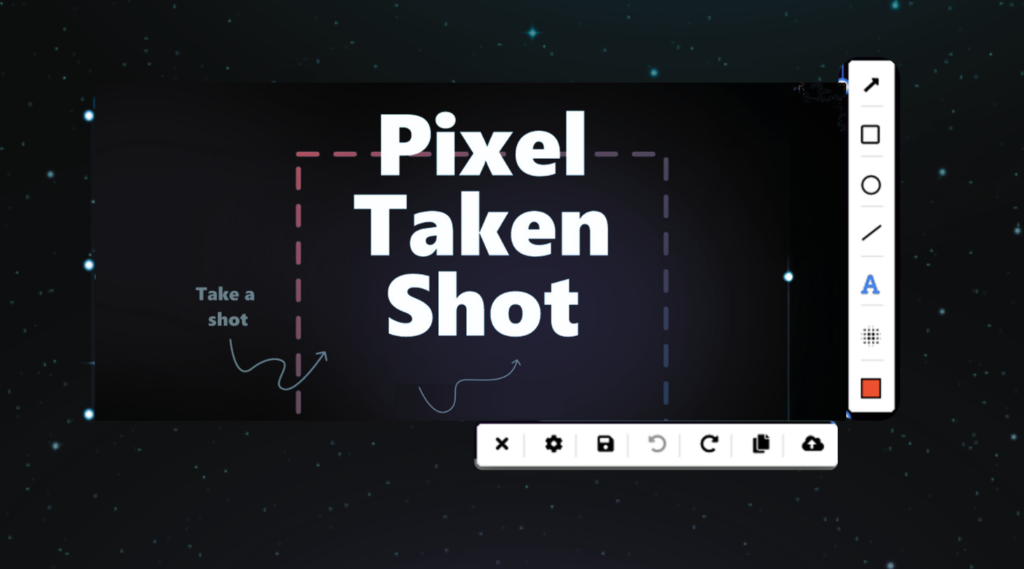
This is also where PixelTaken makes sense in the workflow. In a hiring process, screenshots often move beyond quick capture and become part of documentation that may be reviewed again later. Because PixelTaken is a dedicated screenshot tool for Windows, it is a natural fit for teams that regularly attach screenshots to interview notes and candidate records.
Used in that context, PixelTaken does not change the purpose of the documentation. It supports the same core task: creating screenshots onWindowsthat stay readable, focused, and usable when the record is revisited during later review.
Organised Documentation Improves the Value of What Was Already Captured
The biggest benefit of organised documentation appears later in the hiring cycle. A screenshot that seemed minor during the interview stage may become useful again during comparison or final review. The same is true for a short interview note that gains meaning once it is seen together with the related visual context.
That is why candidate documentation improves when interview notes and screenshots are managed as part of one review system. The documentation becomes easier to revisit, easier to compare, and easier to use when real hiring decisions need to be made.