
Modules/Project Management
Plan the work and track the time in one place
Plan tasks, sprints and releases on a board and a timeline, and track time on every task. Move a project over from Jira, invite your team, and see the hours and the cost of each project in the reports.
From the first task to the report
Create a project
Start one from the side menu, or import your issues from Jira as a CSV file. Invite the team by email.
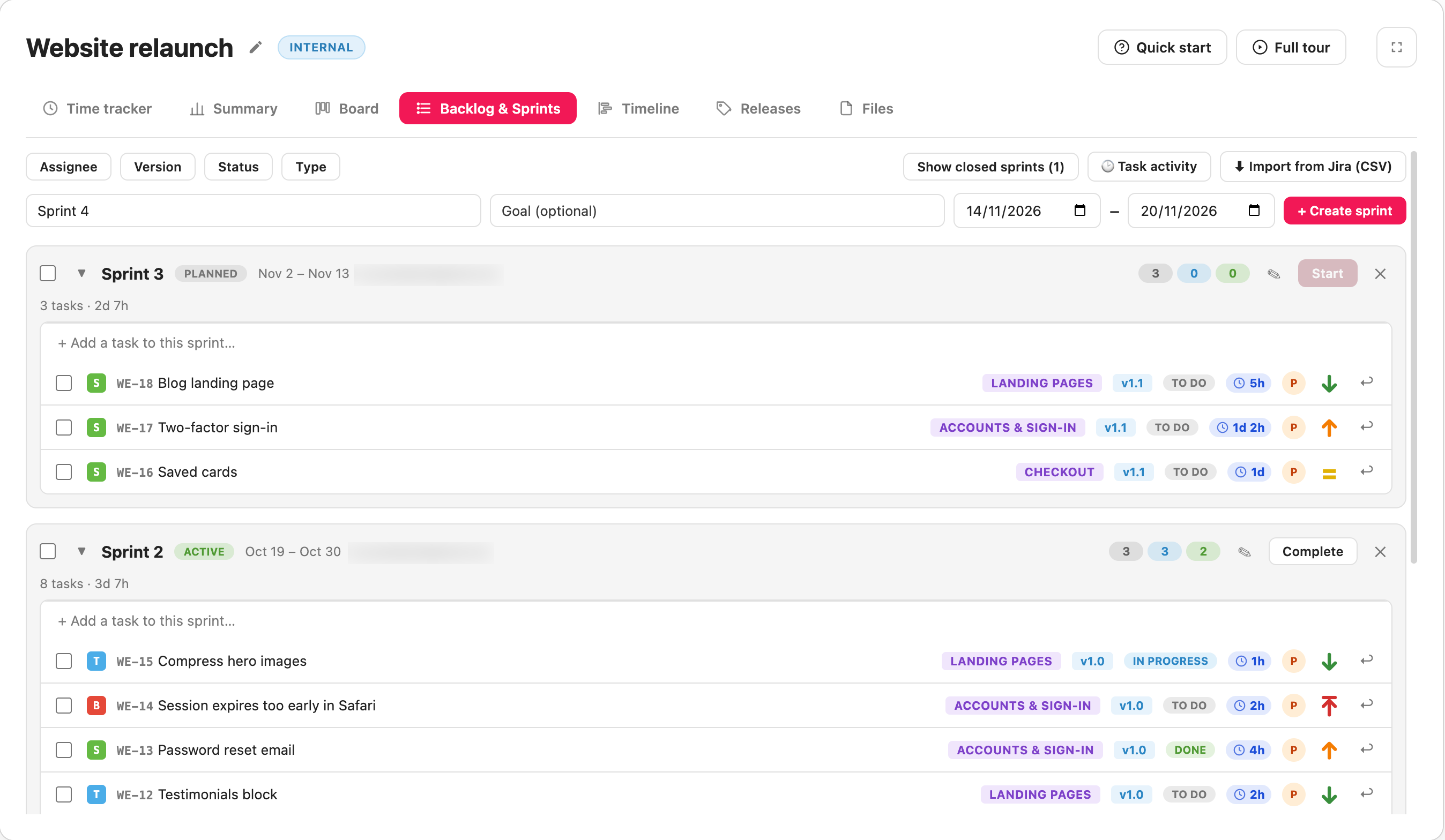
Plan a sprint
Add tasks to the backlog, pull them into a sprint and follow it on the board.
Track and report
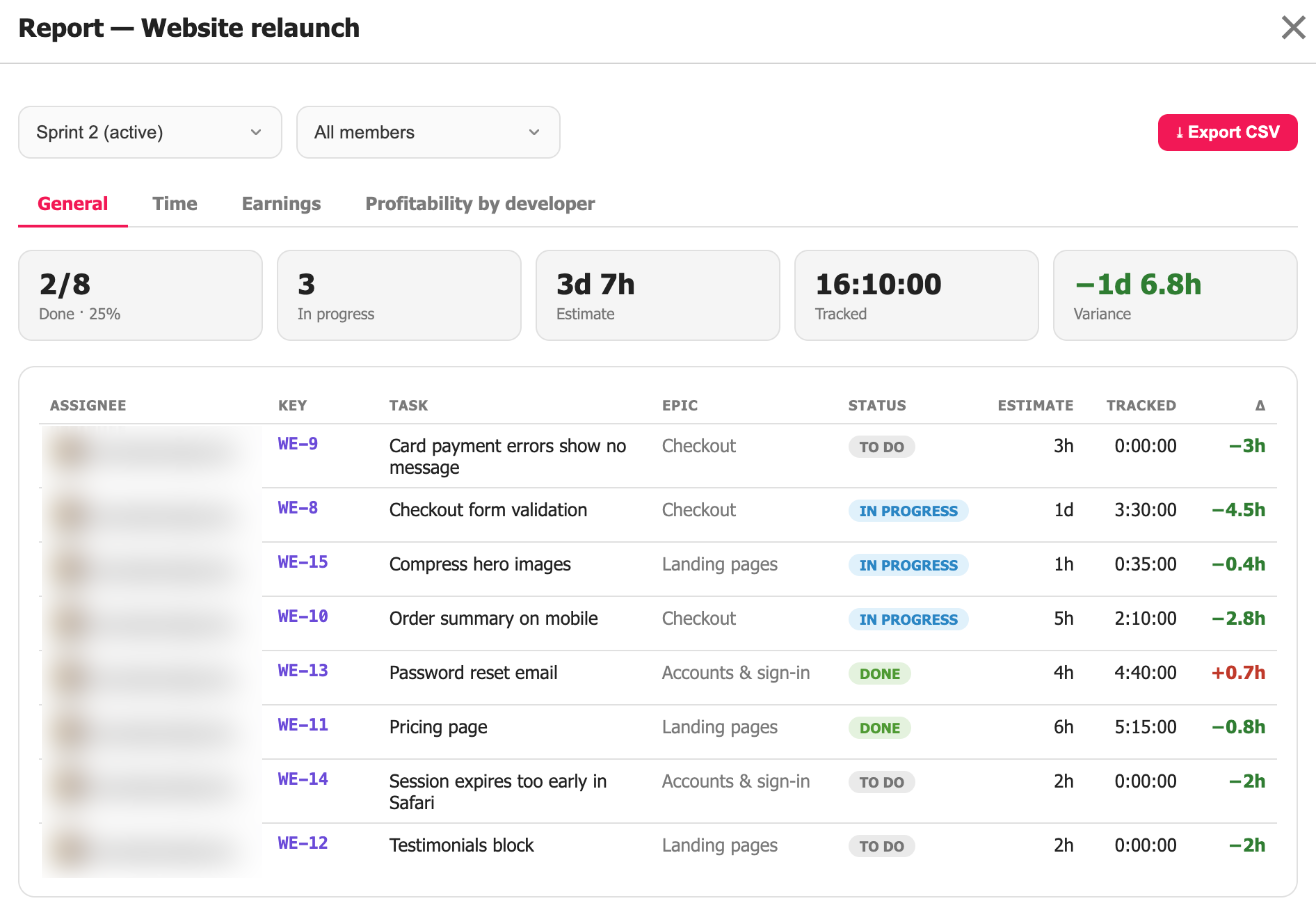
Start the timer on a task as you work. The report shows the hours per task and per person.
Run your sprints on a Kanban board
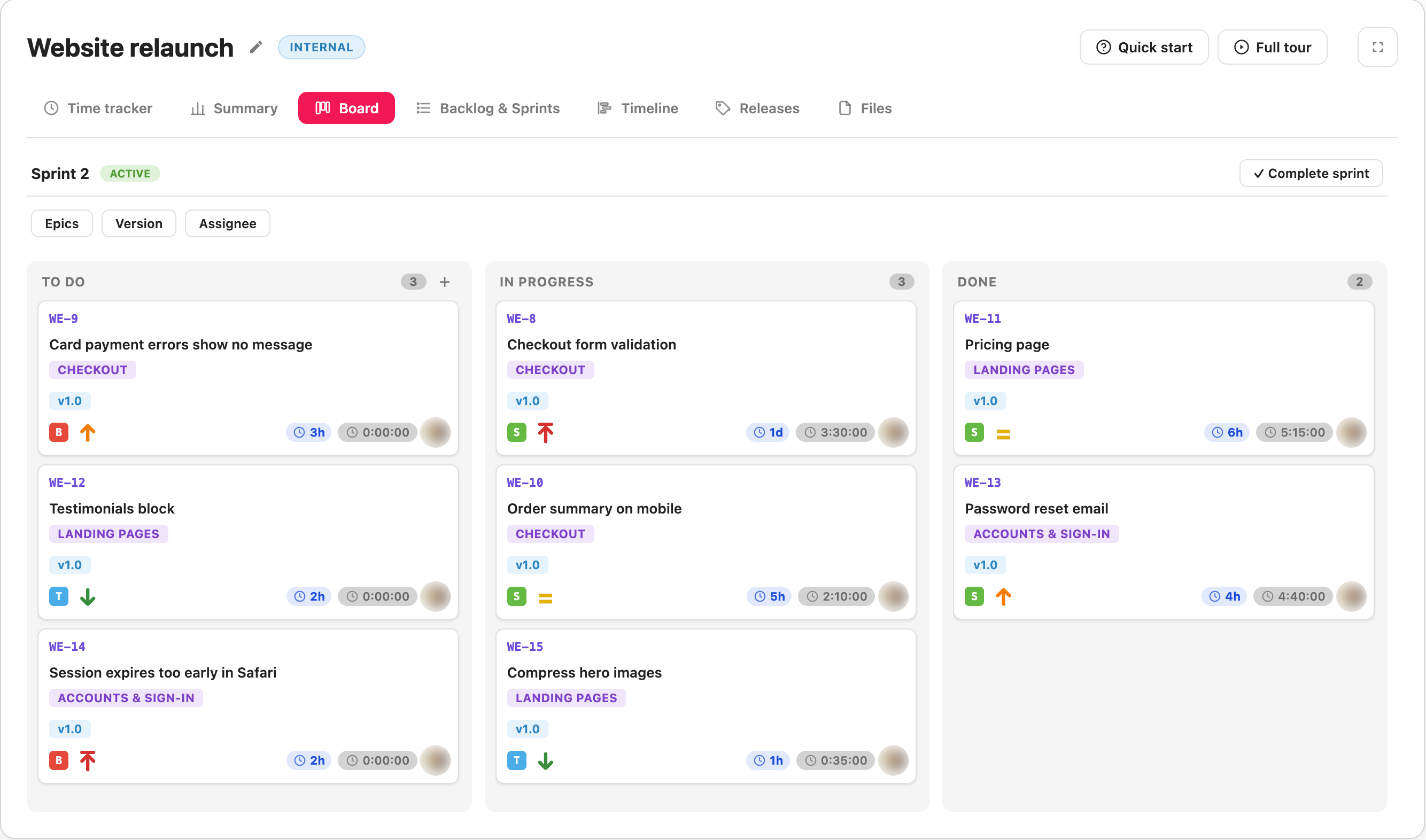
Give a sprint a name and dates, fill it from the backlog, and drag each card from To Do to In Progress to Done as the work moves.
- Type a task name and press Enter to add it to a sprint or the backlog
- Drag tasks between the backlog and sprints, or move a whole selection at once
- Filter the board by epic, release or assignee
- Complete a sprint and its unfinished tasks move on to the next one
See the plan on a timeline and ship it in releases
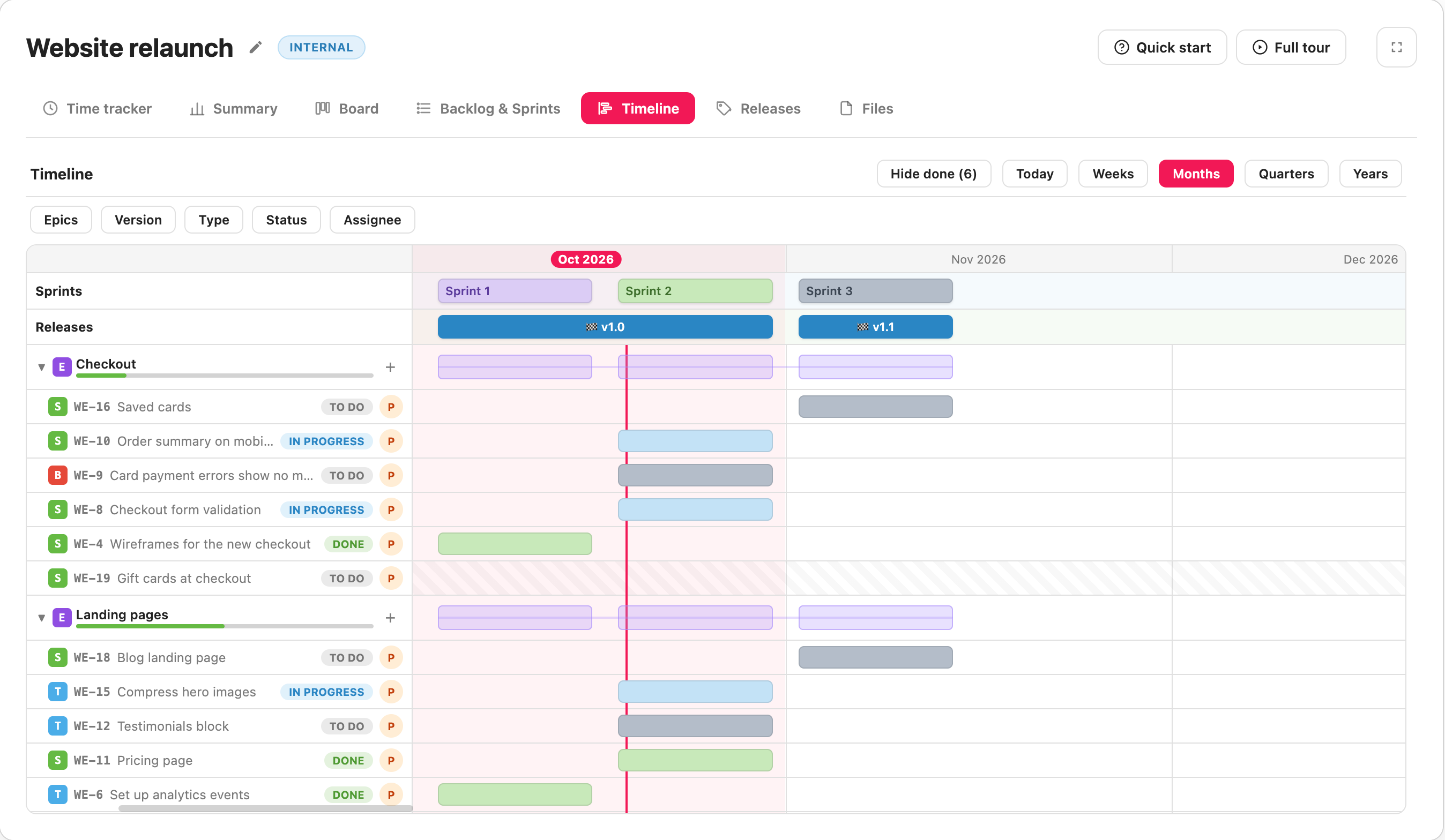
Every epic gets its own lane, with a bar across the dates of its tasks. Group the work into versions with a start and a release date, and follow how far each release has come.
- Zoom by weeks, months, quarters or years, and jump back to today
- Filter by release, epic, type, status or assignee
- Add a task to an epic right from its lane
- Set a task’s release, its fix version, on the task itself
Track the time on the task you are working on
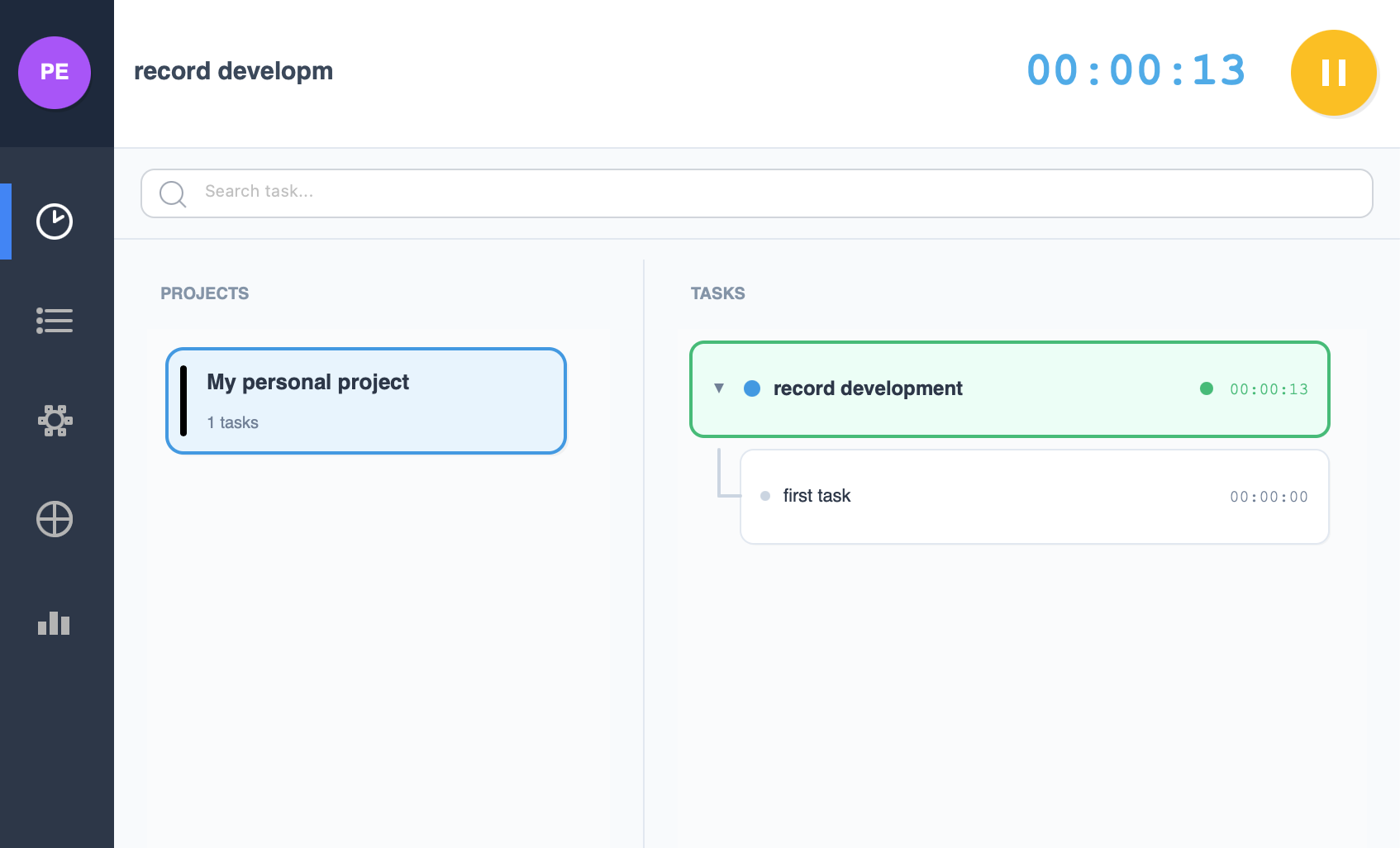
Pick a task, press start, and the time logs itself. Every task and subtask keeps its own total, and the time adds up to the project and the workspace.
- Pause and resume without losing the session
- Live time on every task and subtask
- The estimate next to the time actually tracked
- Log time by hand for a day you worked without the tracker
Know how the sprint is going and what the work cost
Summary shows the active sprint and who is working on what right now, and breaks the work down by status, priority, epic and type. The reports add up the hours and, with cost rates set, what each project cost and earned.
- Estimate, tracked time and the difference for every task
- A cost rate for each member: hourly, monthly or yearly, in USD, EUR or UAH
- Planned cost per task, minus a platform commission such as Upwork’s
- Export the reports to CSV
Everything around the tasks
Everything on the task
A type, a priority from Lowest to Highest, an assignee, an epic, a sprint, an estimate in hours and a release. Split a big task into subtasks.
Move over from Jira
Export your issues from Jira as CSV and upload the file. Sprints are created by name, assignees matched by email, and each issue keeps its Jira key.
People and roles
Invite people by email and give each one a role: viewer, editor or admin.
All projects at once
Overview puts every project in the workspace into one summary and one board. Group the summary by person or by project.
Project Management questions
Can I move my project over from Jira?
Yes. Export the issues from Jira as a CSV file and import it into a project. Sprints are created by name, assignees are matched by email and each issue keeps its Jira key. Importing the file again updates the issues you already have.
Which statuses can a task have?
To Do, In Progress and Done. Drag a card across the board to change it, or select several tasks in the backlog and change them all at once.
What happens to unfinished tasks when a sprint ends?
When you complete a sprint, its unfinished tasks move to the next sprint, or back to the backlog if there is no next one.
How do I track time on a task?
With Time Tracker, which is part of Project Management. Pick the task and press start: the time adds up on the task, its project and the workspace. For a day you worked without the tracker, open the task and log the time by hand.
Can I see all my projects at once?
Yes. Overview puts every project in the workspace into one summary and one board, and you can filter both by project.
How does the report know what a project cost?
Each member of the workspace can have a cost rate, hourly, monthly or yearly. The workspace report turns tracked time into cost, and with a planned cost on the tasks it shows the earnings and profitability of every project.
Who can change a project?
Everyone you invite gets a role: viewer, editor or admin. Viewers can see the project but not change it.
Can I hide the tabs a project does not need?
Yes. Switch them off in the project settings and put the rest in the order you like.
Where do a project’s files go?
Into its Files tab. Drop several in at once, and click any file to preview it.
Is Project Management free?
Yes. Project Management is free, like the rest of PixelTaken.
Plan your next sprint in PixelTaken
Download PixelTaken free, sign in, and create your first project.